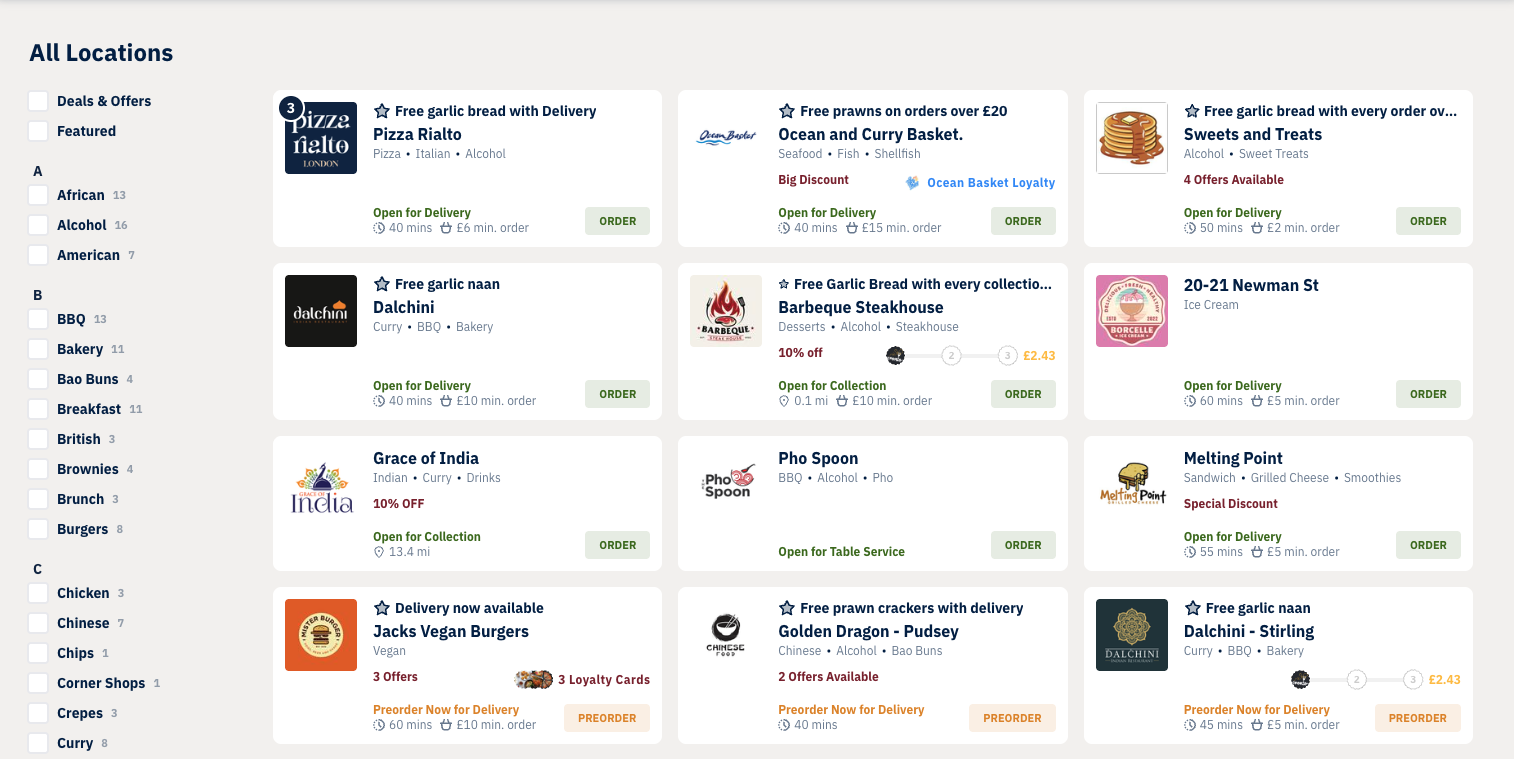
We’ve released a new enhancement to help customers browse outlets more easily, the Categories Sidebar. Alongside the existing visual categories segment, you can now enable a sidebar that appears next to your outlet list on wider screens. This gives customers an intuitive way to filter by cuisine or product type and refine their search more efficiently.
What’s included?
-
A sidebar showing all your categories, each with a count of how many outlets offer them
-
Quick filtering: selecting a category takes customers to a filtered outlet list, with the sidebar still available to refine further
-
Smart behaviour on different screen sizes:
-
Desktop/tablet: sidebar displays instead of the categories pop-up
-
Mobile: the categories pop-up continues to be used
-
How to enable it
You can turn the Categories Sidebar on via your marketplace settings:
Redbox Management → Marketplaces → Select a Marketplace → Website
Full Documentation
For a detailed walkthrough, configuration steps, and screenshots, please see our full support article here: Categories Sidebar